Go to POS Settings, then open the Online Payment Method tab to view the Online Payment Method page.
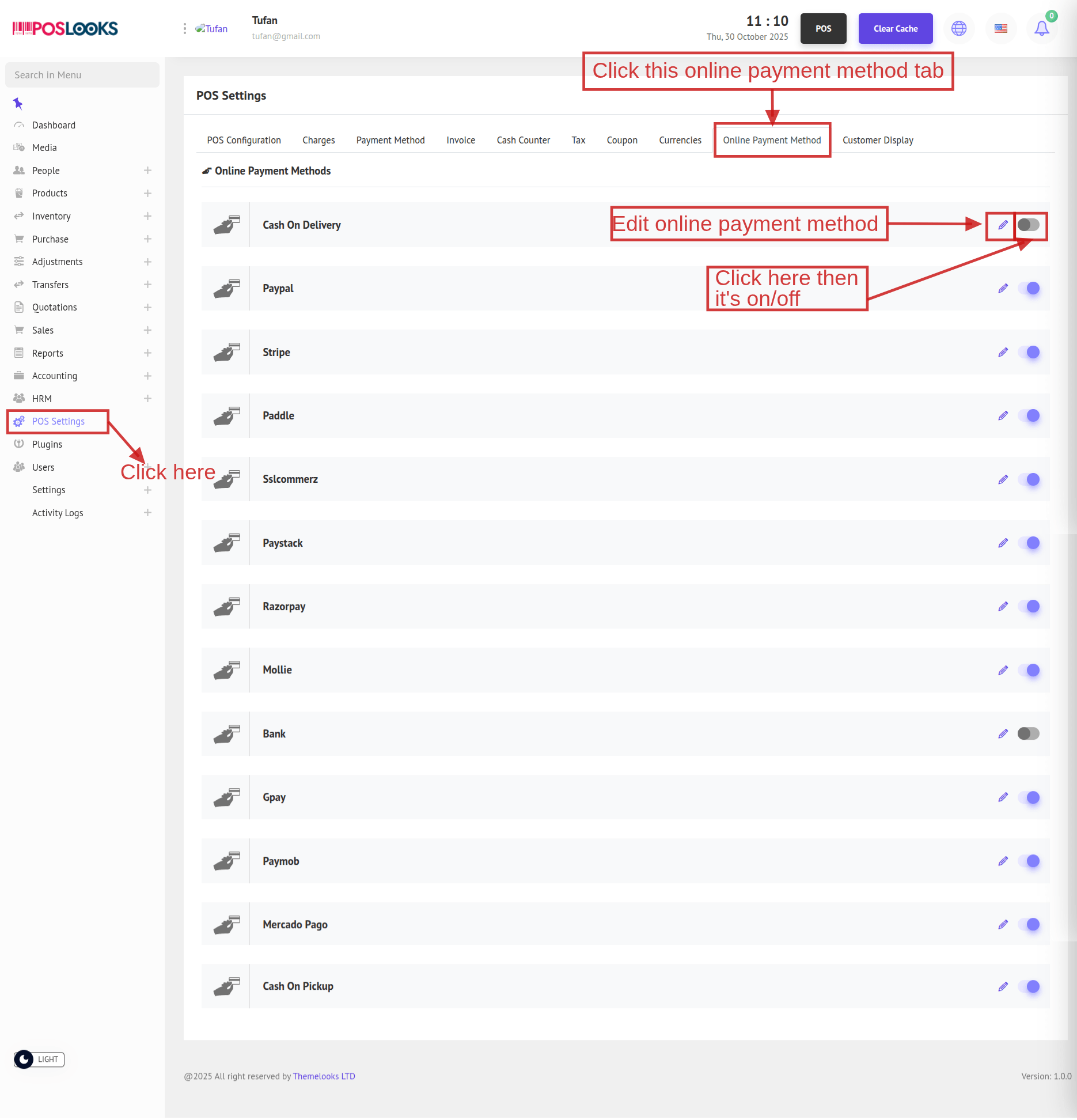
Toggle Status to turn an online payment method On or Off.
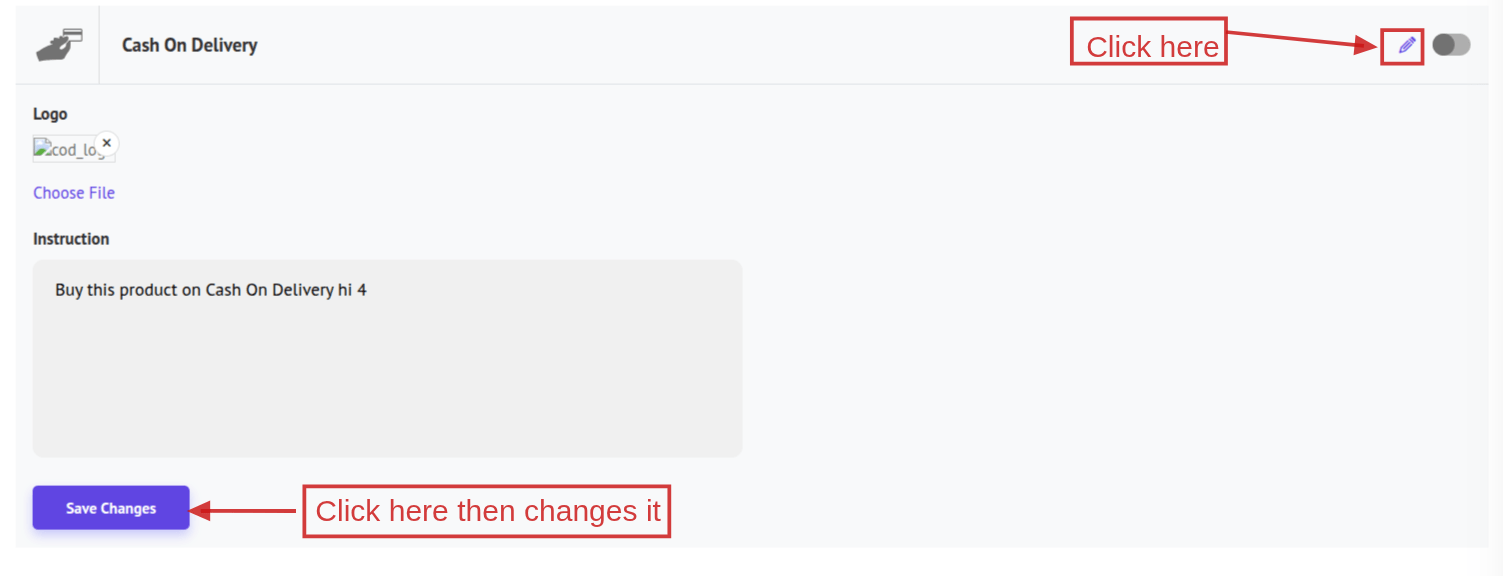
To configure a method, click the Edit icon—the table row will expand under the selected cell to show the input fields; fill them in and click Save Changes.