You can maintain all the Languages as you like. Go to Settings -> Languages.
Here you can see all the Language List.
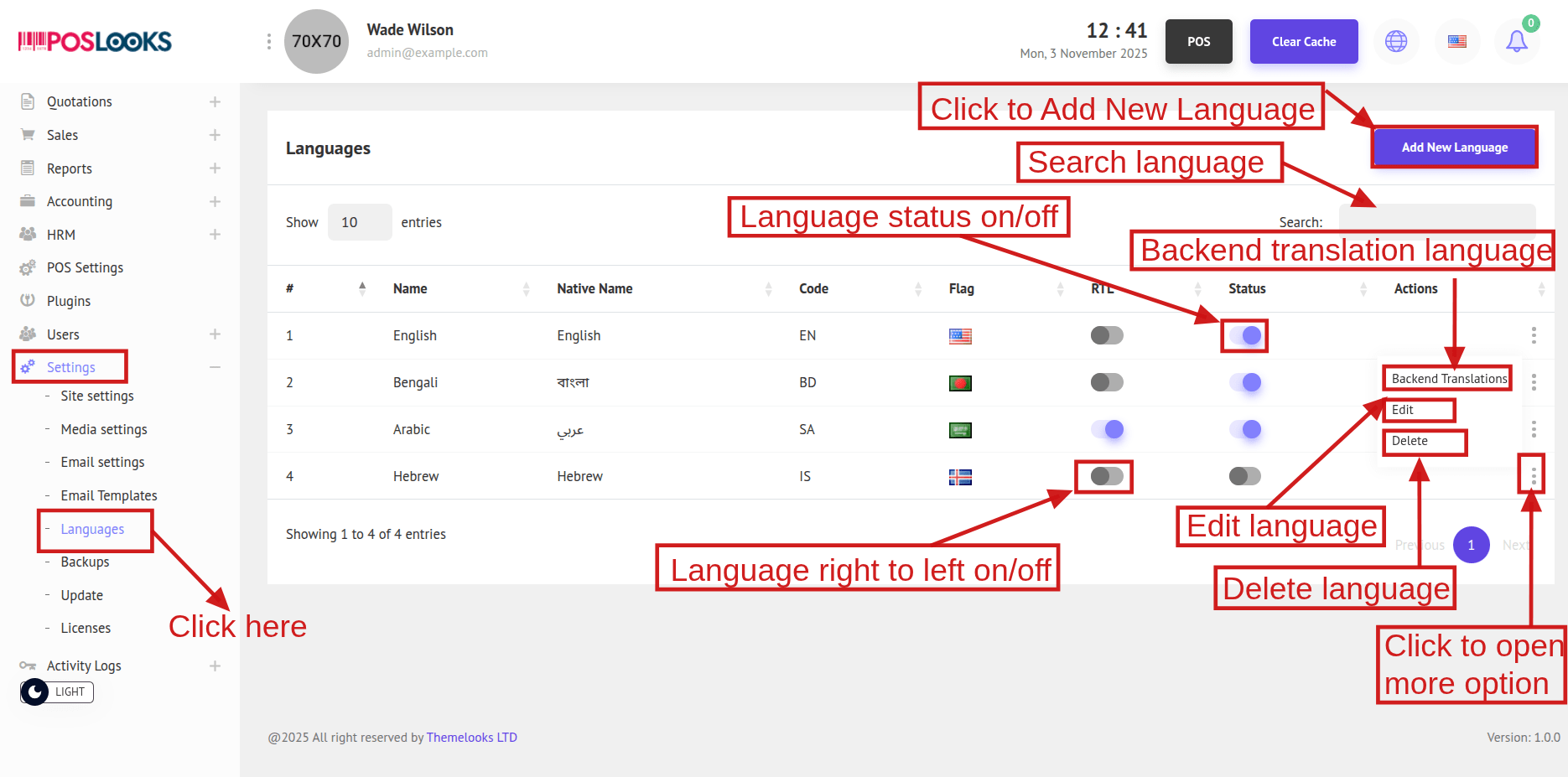
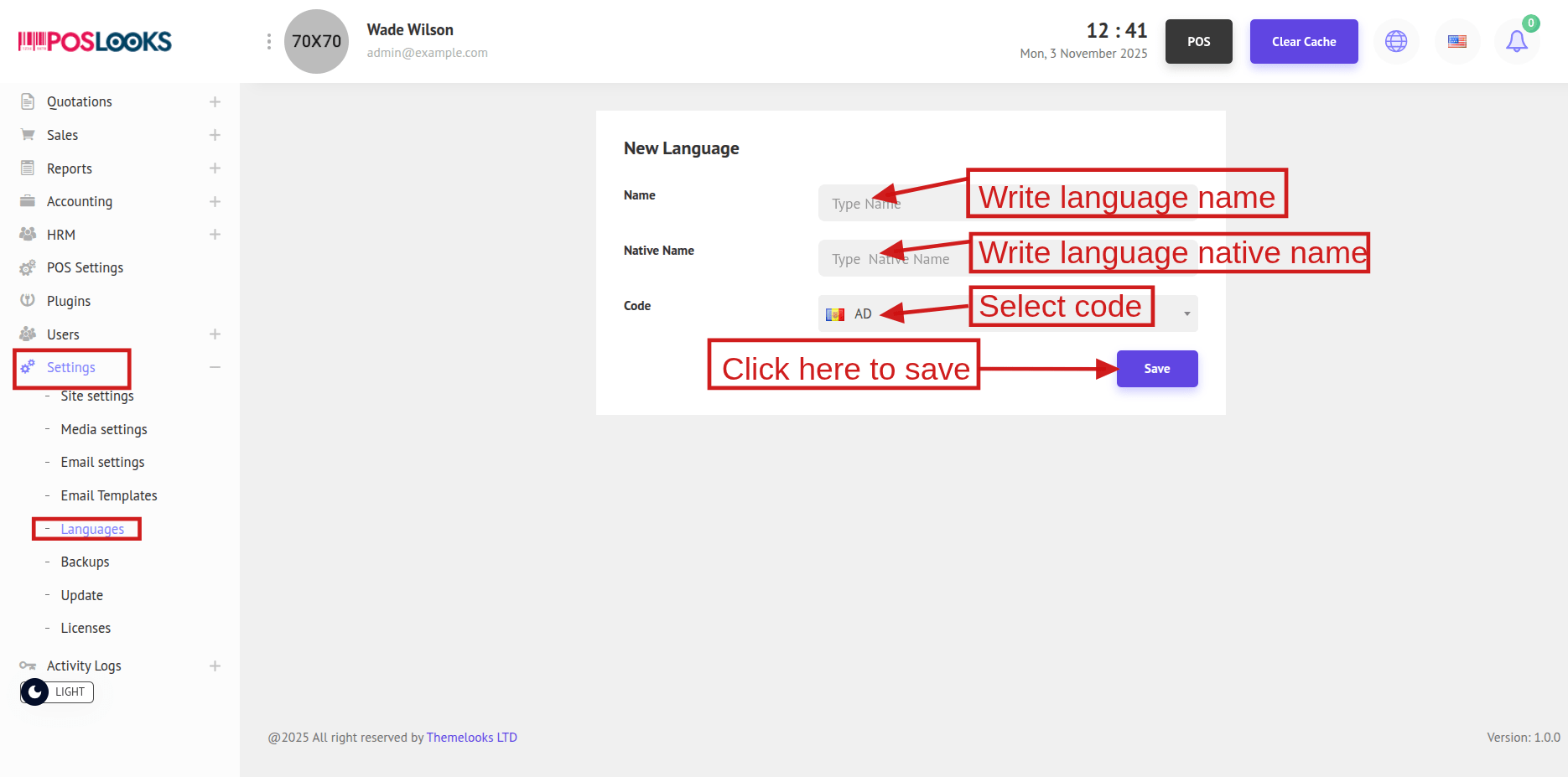
To Add a New Language Click The Add New Language Button.
It will redirect you to new page.
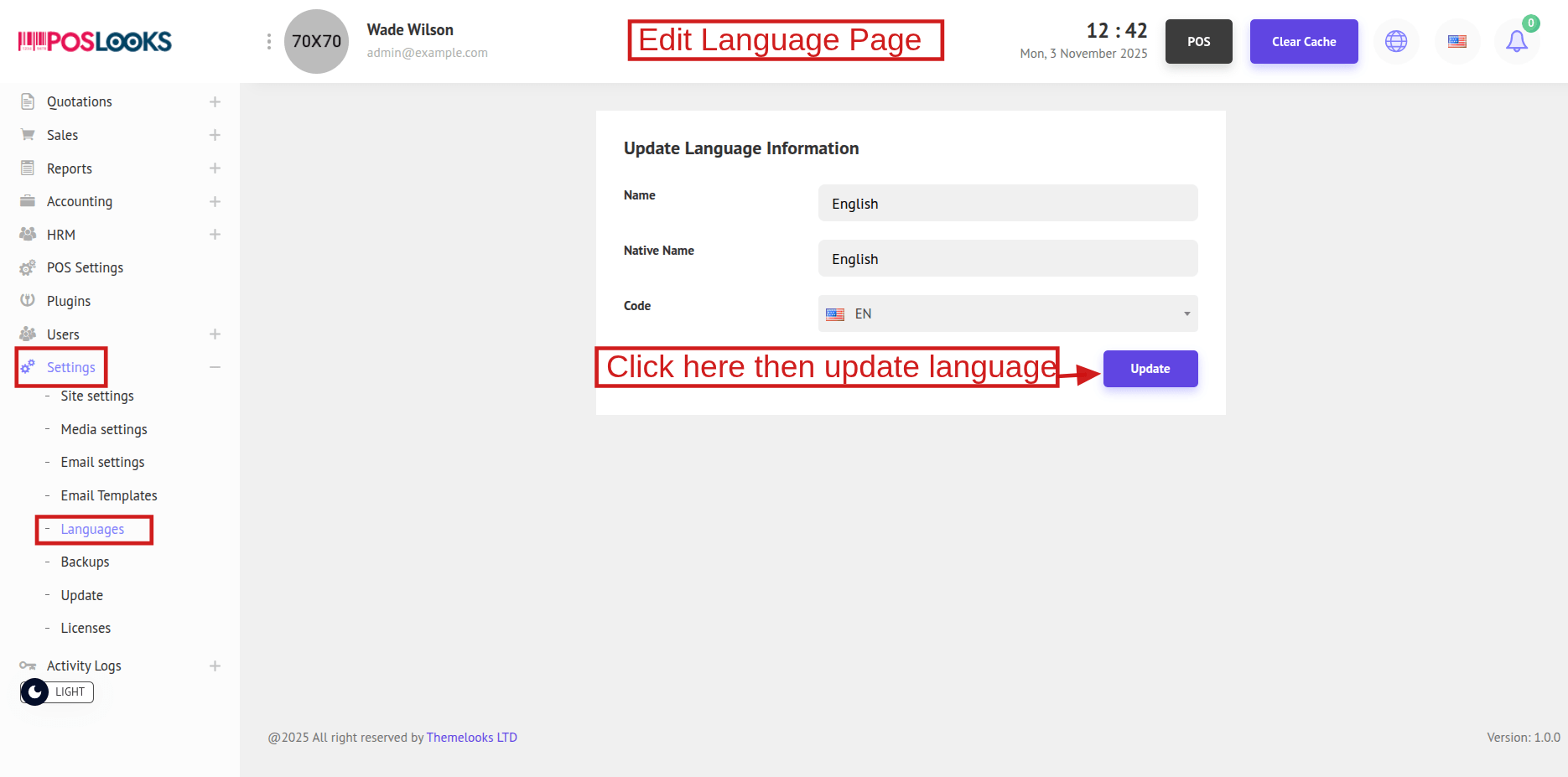
To Edit a Language Click The Edit from the language list Action options. It will redirect you to new page.
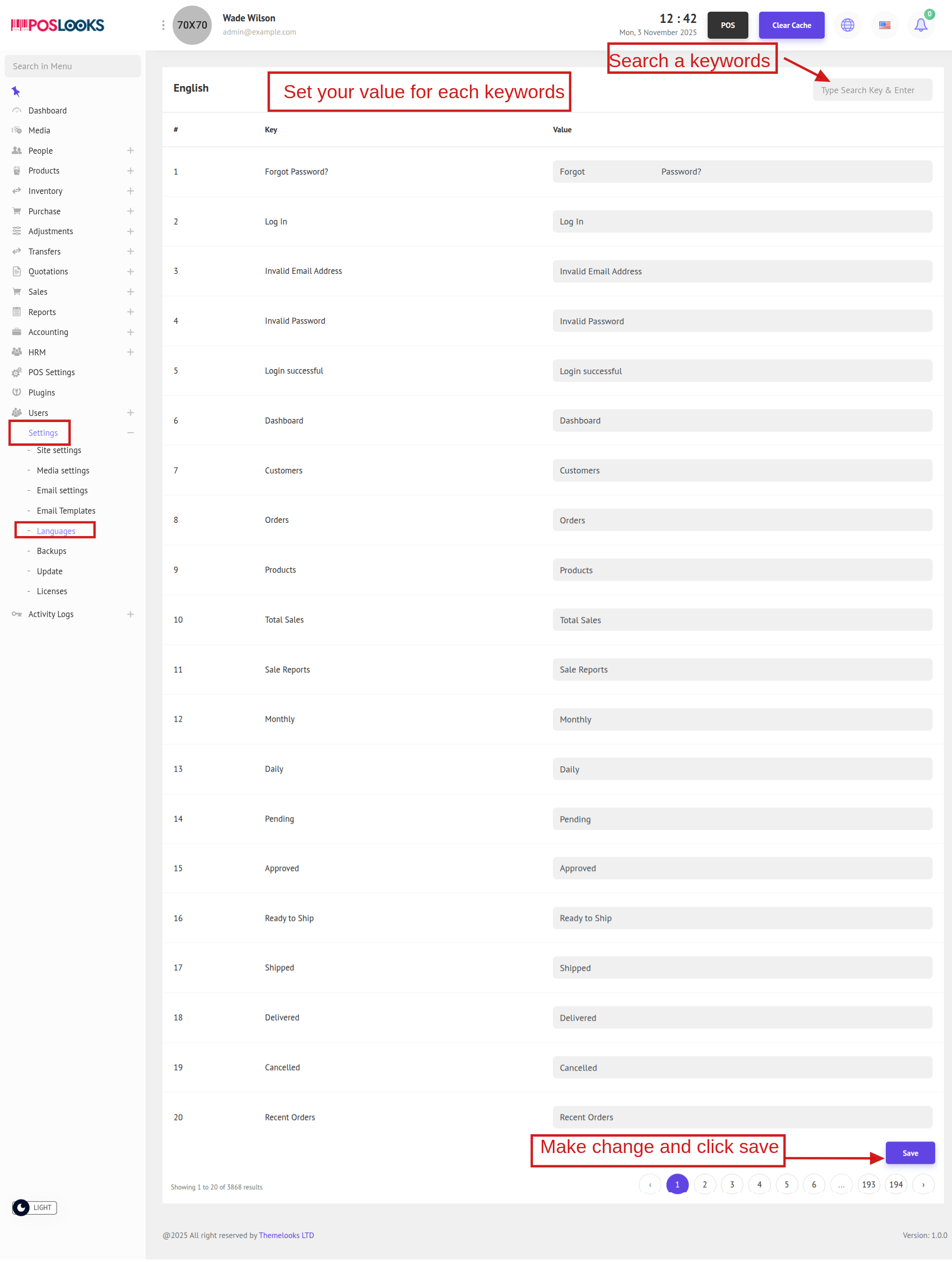
You can Translate Front-end and Back-end Keywords from Language List Action Options. Click which keywords you want to set it will redirect you to that page. You can write value for every keywords.