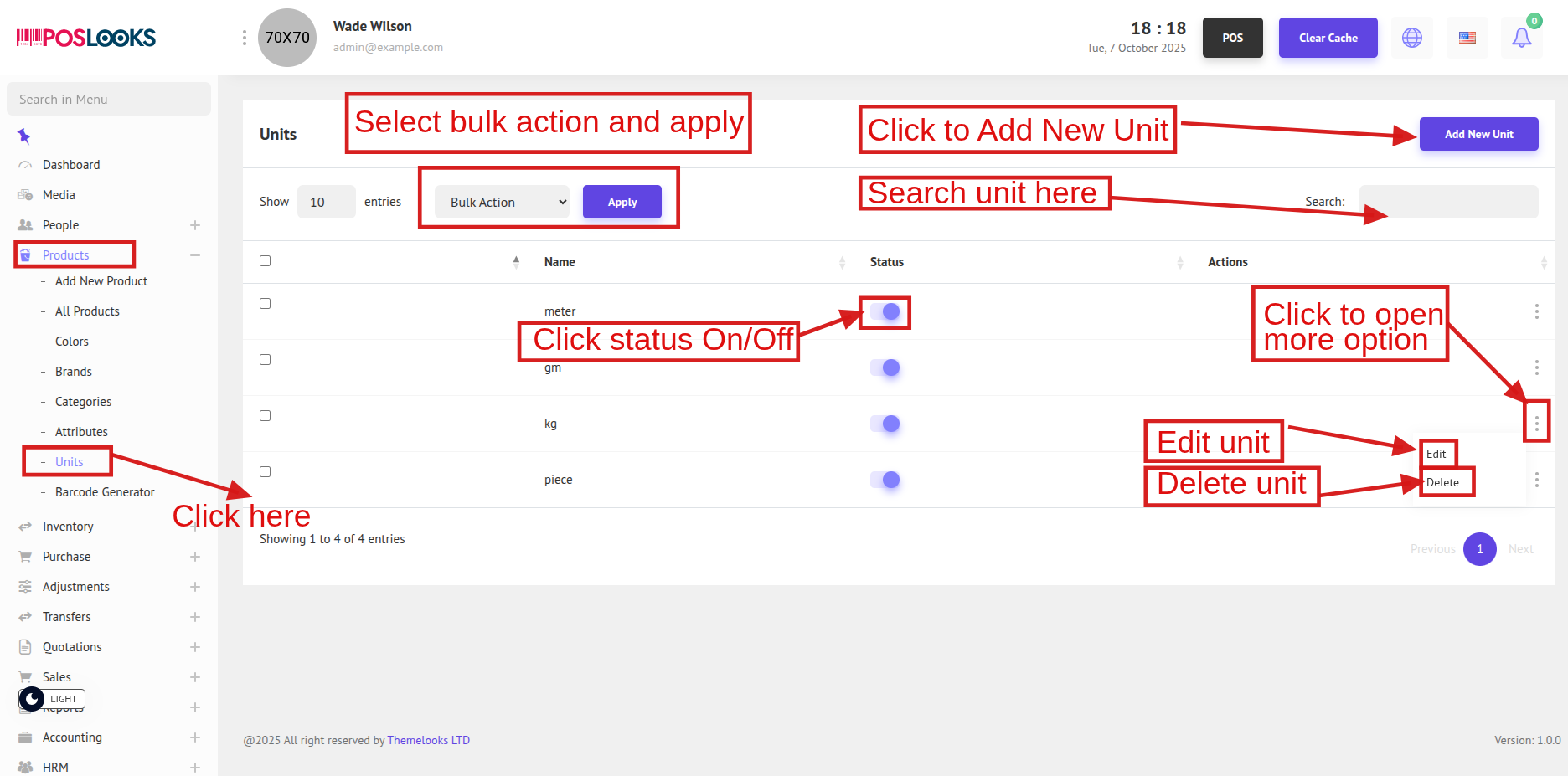
To view the Product Units list, go to Products -> Units. This will display all available product units in the system.
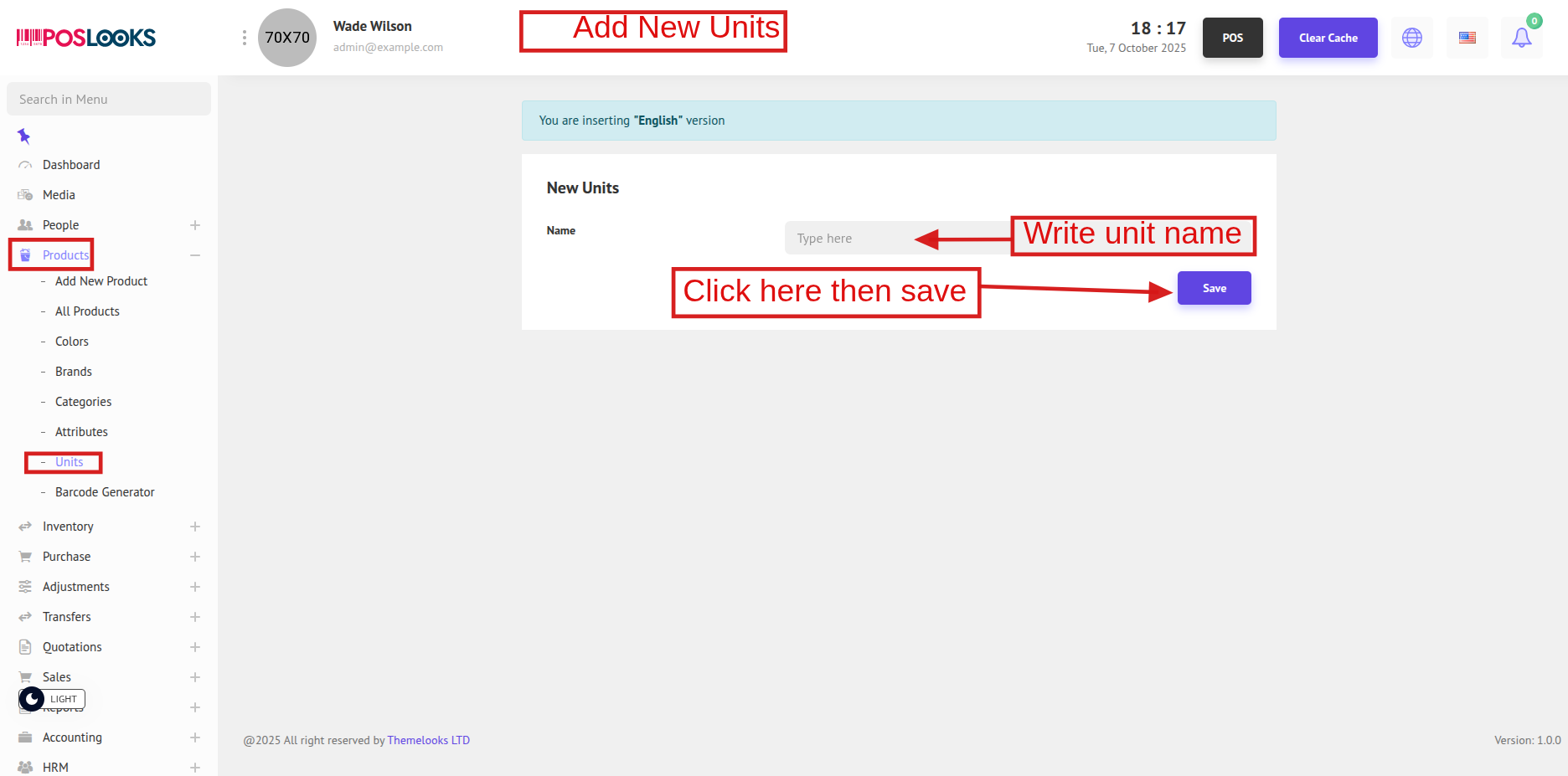
To create a new unit, click Add New Unit at the top. You will be redirected to the Add New Unit page.
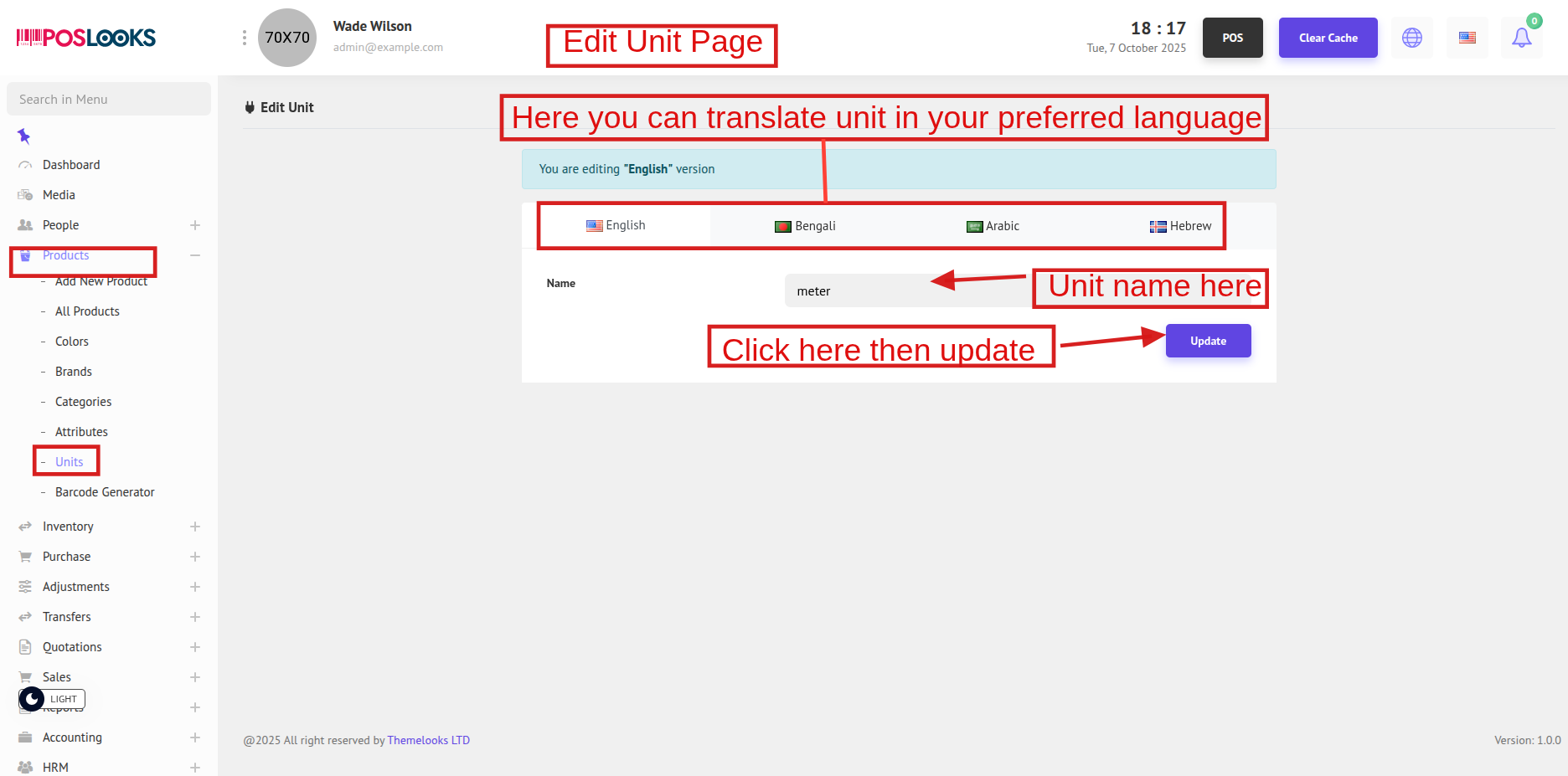
To update a unit, click Edit from the Unit List page. You will be redirected to the Edit Unit page.