
Navigate to POS Settings, When the POS Settings page loads, click the Invoice tab from the tab bar.The system will open the Invoice Settings page, where you can view and configure all invoice-related options.
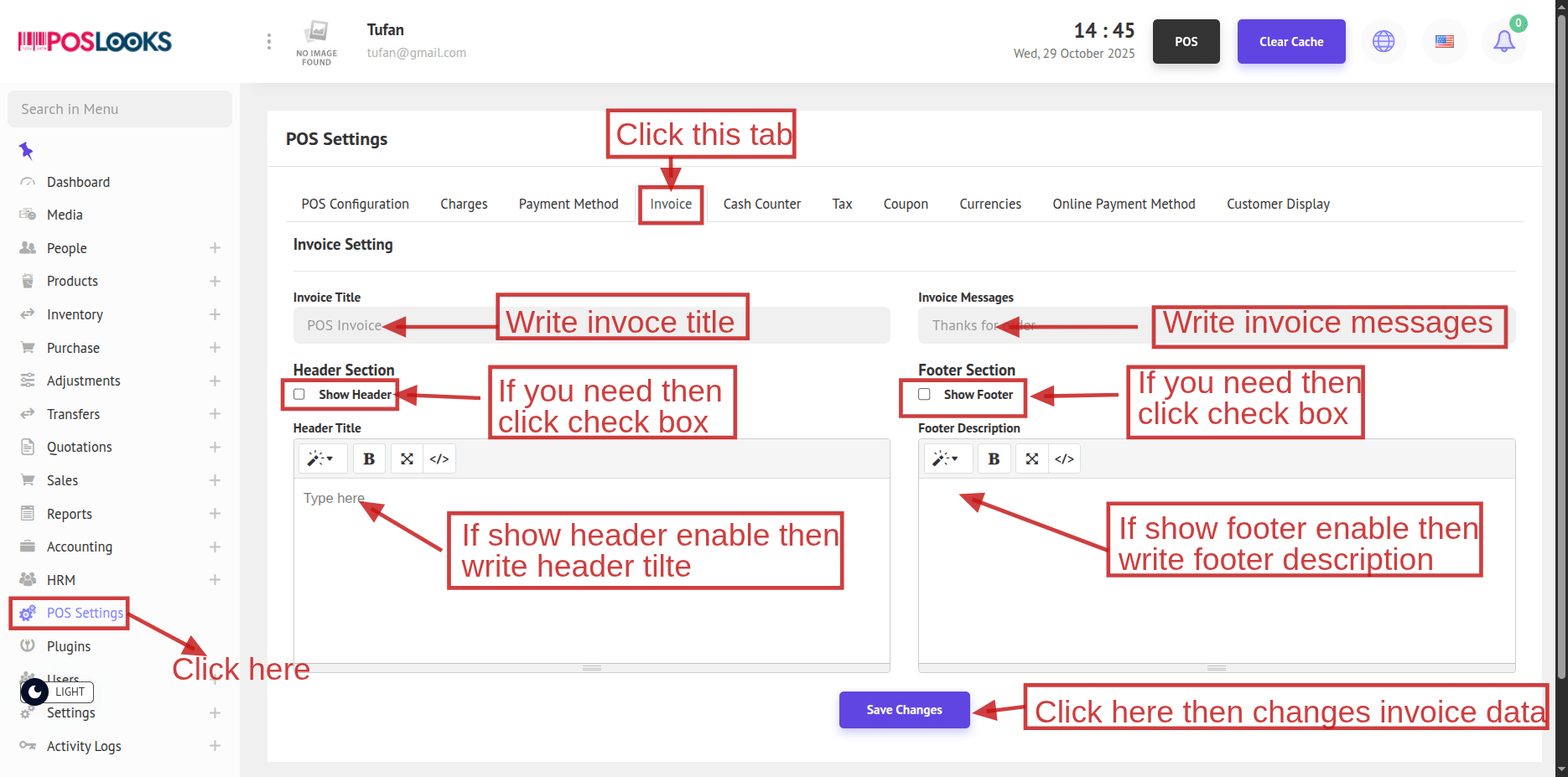
Add an Invoice Title and Invoice Message as needed. If you want a header on the invoice, enable Show Header and enter the Header Title; if you want a footer, enable Show Footer and enter the Footer Description. Finally, click Save Changes to apply the configuration.