
1. You can maintain all the Backups as you like. Go to Settings -> Backups. Then select a Files Backup tab to view the files backup lists.
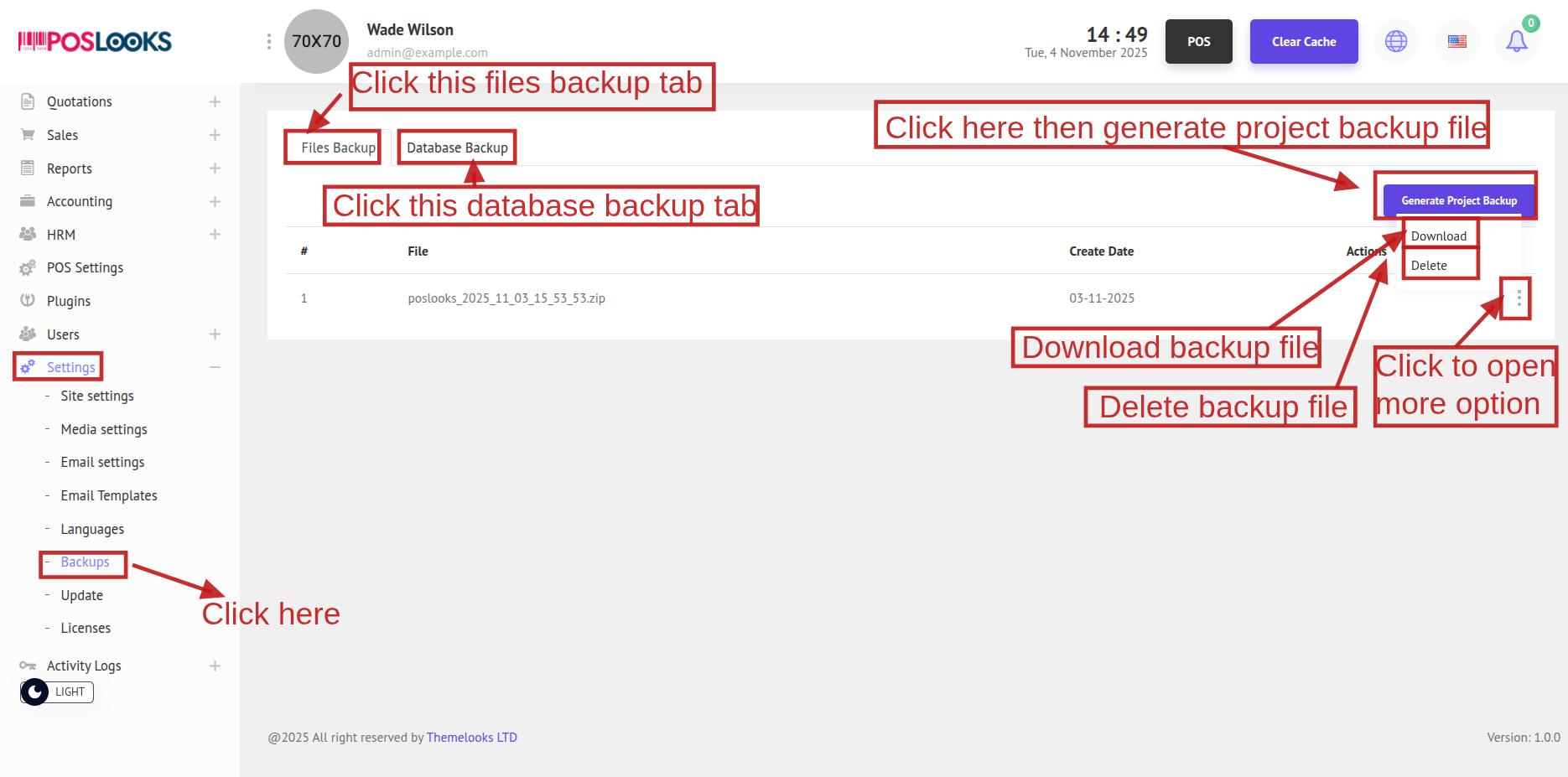
You can generate a project backup file then Click Generate Project Backup to create a new backup. The backup appears in the list, then download it as a ZIP via Download or remove it with Delete.
2. Also you can maintain all the Backups as you like. Go to Settings -> Backups. Then select a Database Backup tab to view the database backup lists.
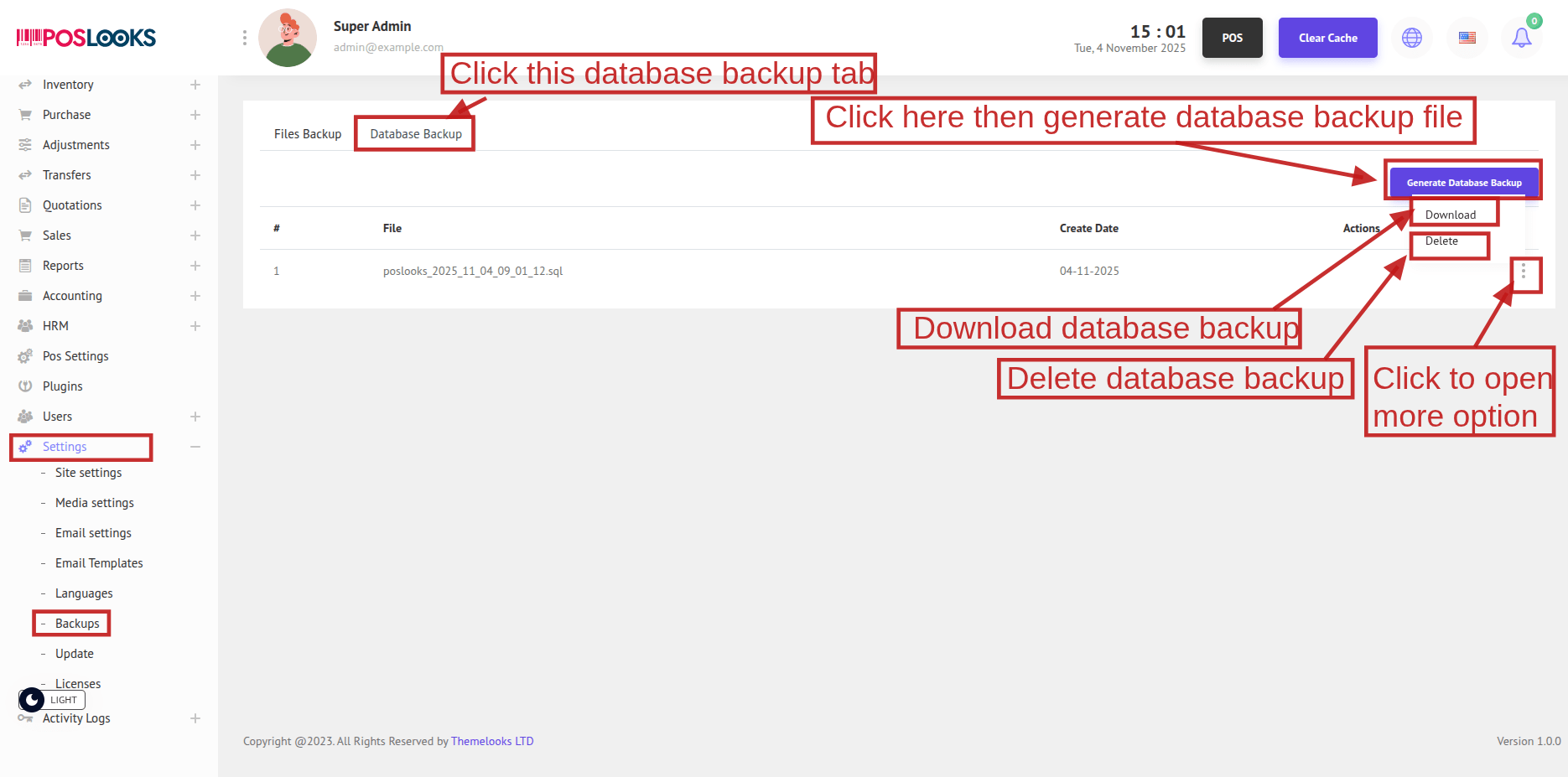
You can generate a database backup file then Click Generate Database Backup to create a new database backup. The backup appears in the list, then download it as a ZIP via Download or remove it with Delete.