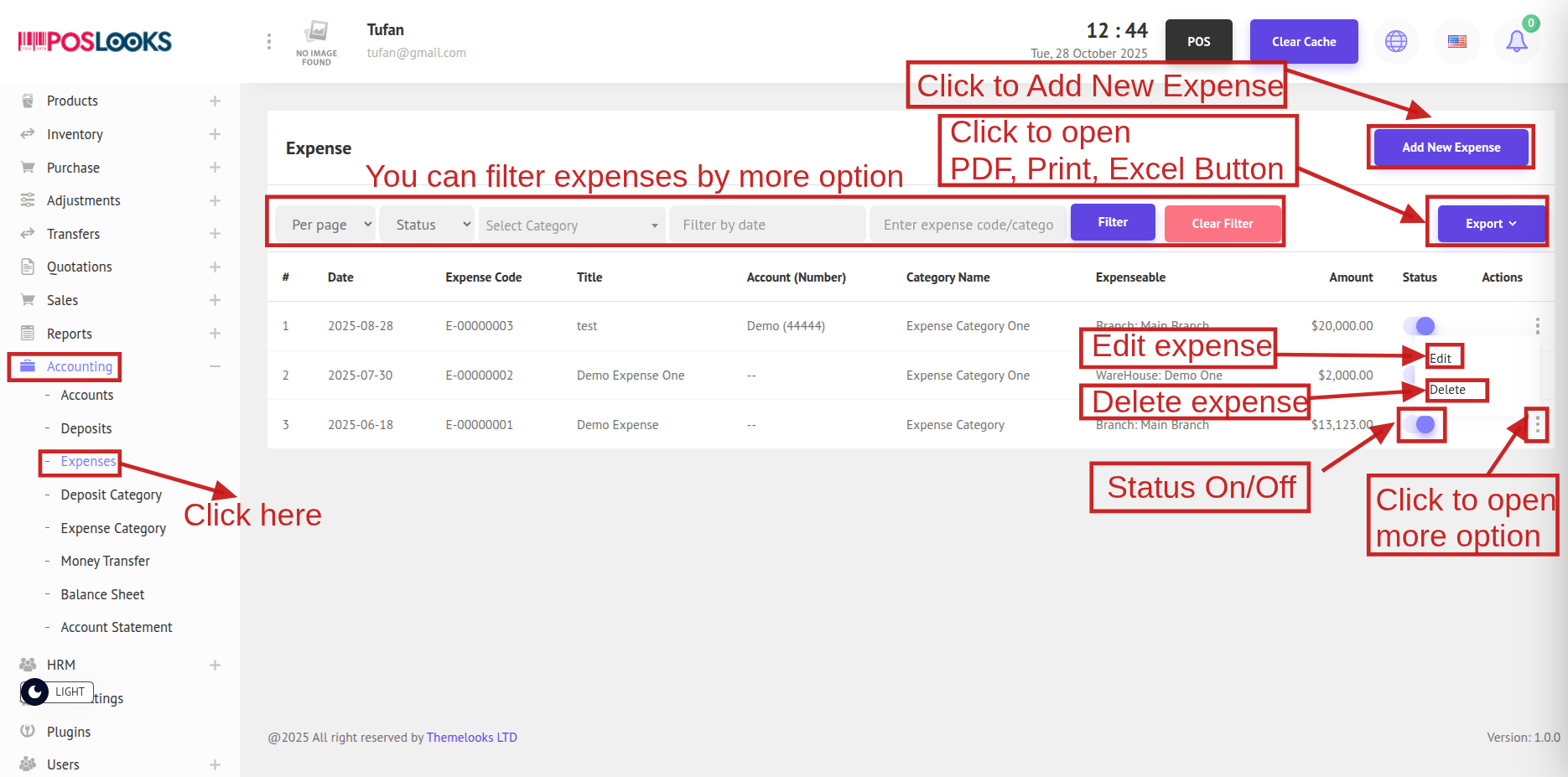
To see the Expenses, go to Accounting -> Expenses from the menu bar. You will be redirected to the Expenses page, where all expense records are displayed. Click Export to download the data in PDF, Excel, or Print format.
Click the Status to toggle it On/Off.
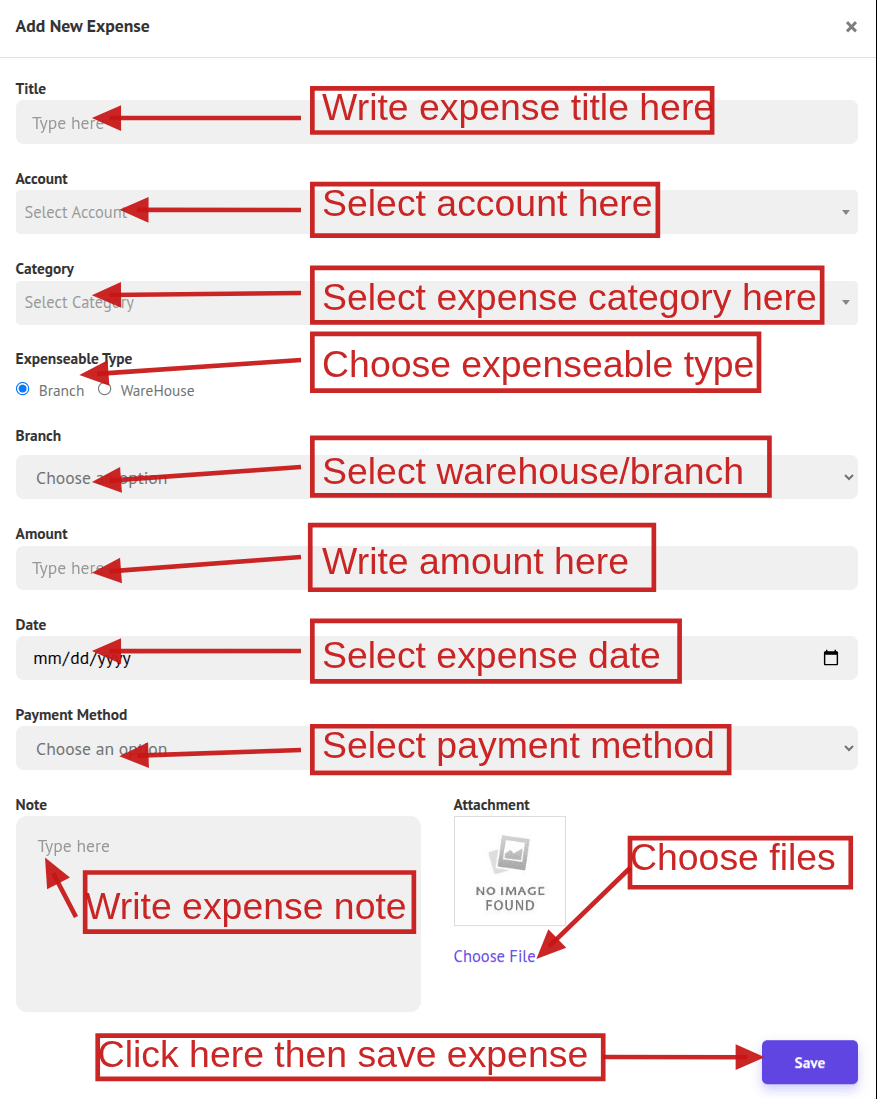
Before creating an expense, set up an Expense Category and an Account. Then click Add New Expense. When the form opens, choose the Expenseable Type (Warehouse or Branch). Based on your selection, the corresponding Warehouse or Branch drop-down will appear. Complete the remaining fields and click Save to create the expense.
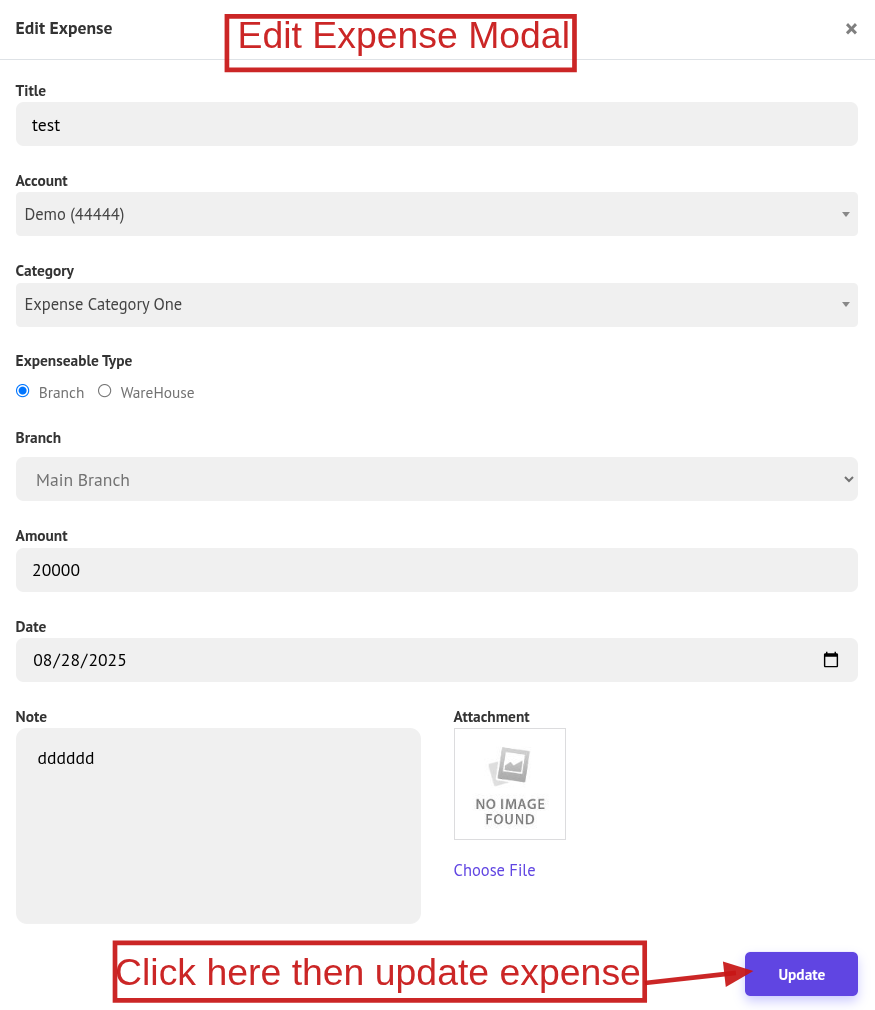
To edit a expense, click Edit to open the edit popup, make your changes, and click Update to updated it. Also you can remove a expense, click Delete.