
POSLooks has multiple plugin to run the system properly. You can easily manage these plugin from plugin module. In this post, you will learn how to activate, and deactivate Plugins. Follow Plugins from sidebar.
Here you can see all the plugins, that are available now. You can Deactivate a plugin or Activate a plugin. All the plugins that are listed here are essential for our system. Also you can remove it click Delete.
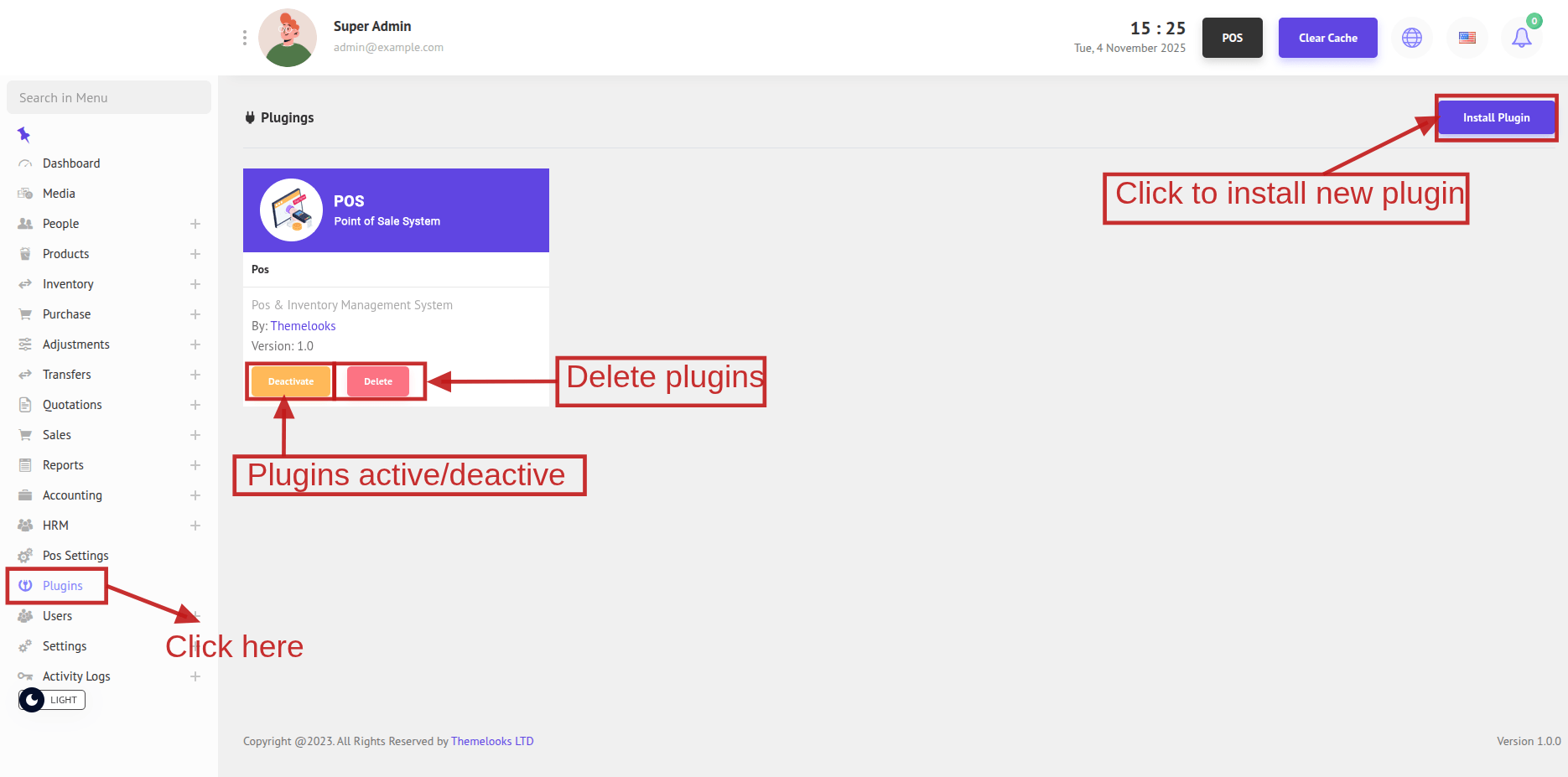
You can install new plugins then Click Install Plugins to open the plugin installation page.
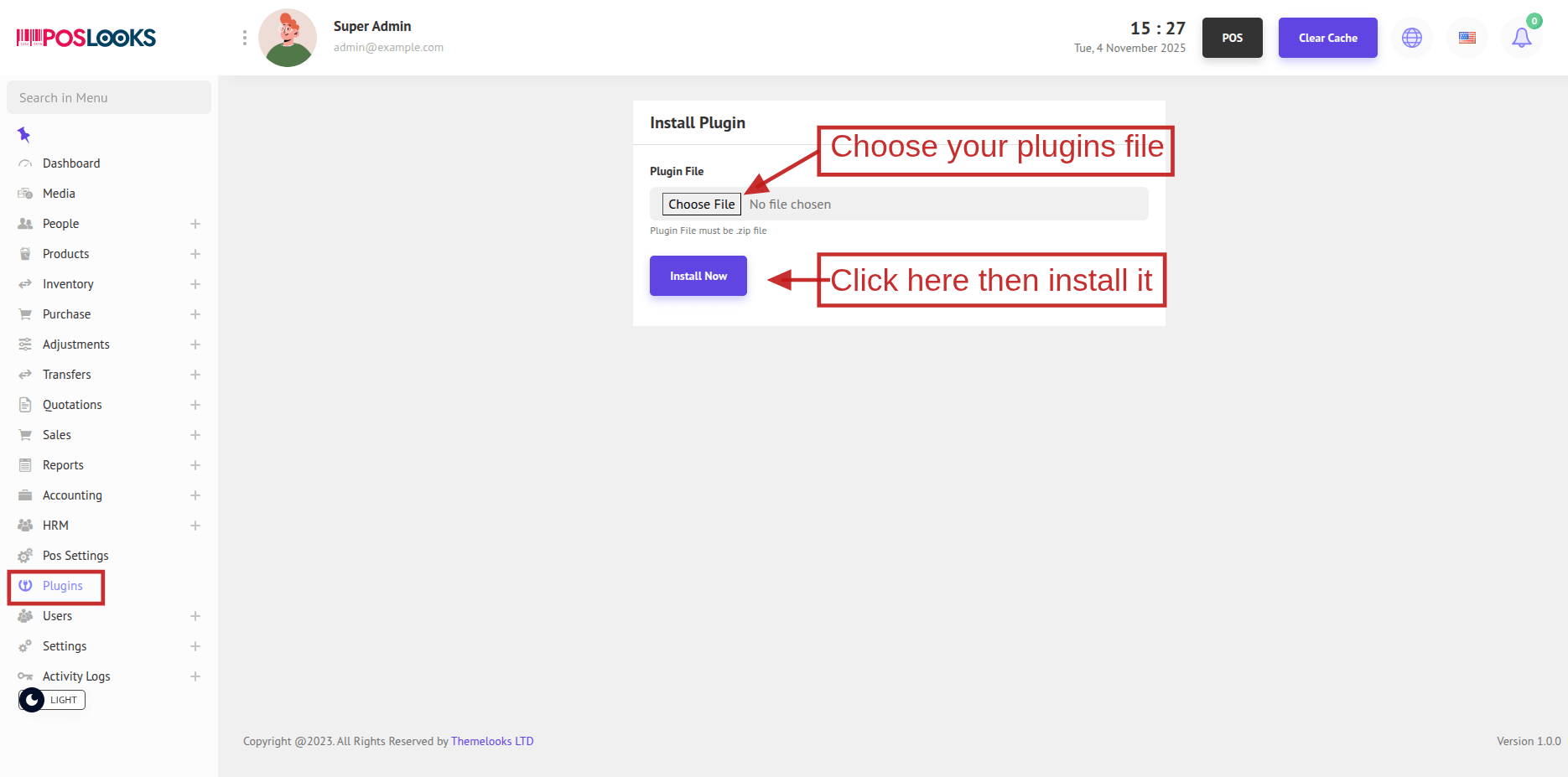
After downloading the add-on file from codecanyon. Unzip the file and you will get an add-on name.zip file.
Now you have to upload the name.zip(add-on name) file. Then click install and wait for some time. After successfully installing you will see a new plugin is added in the plugin list.
In the Plugin List you can see a new Plugin is added.
Now you have to activate the plugin to use it. Click Activate. If the plugin is licensed Give purchase key to activate.
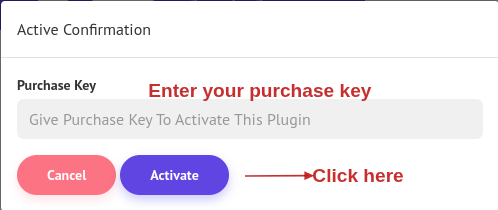
After the plugin is activated, You can work with this.