To view the Product Categories list, go to Products -> Categories. This will display all available product categories in the system.
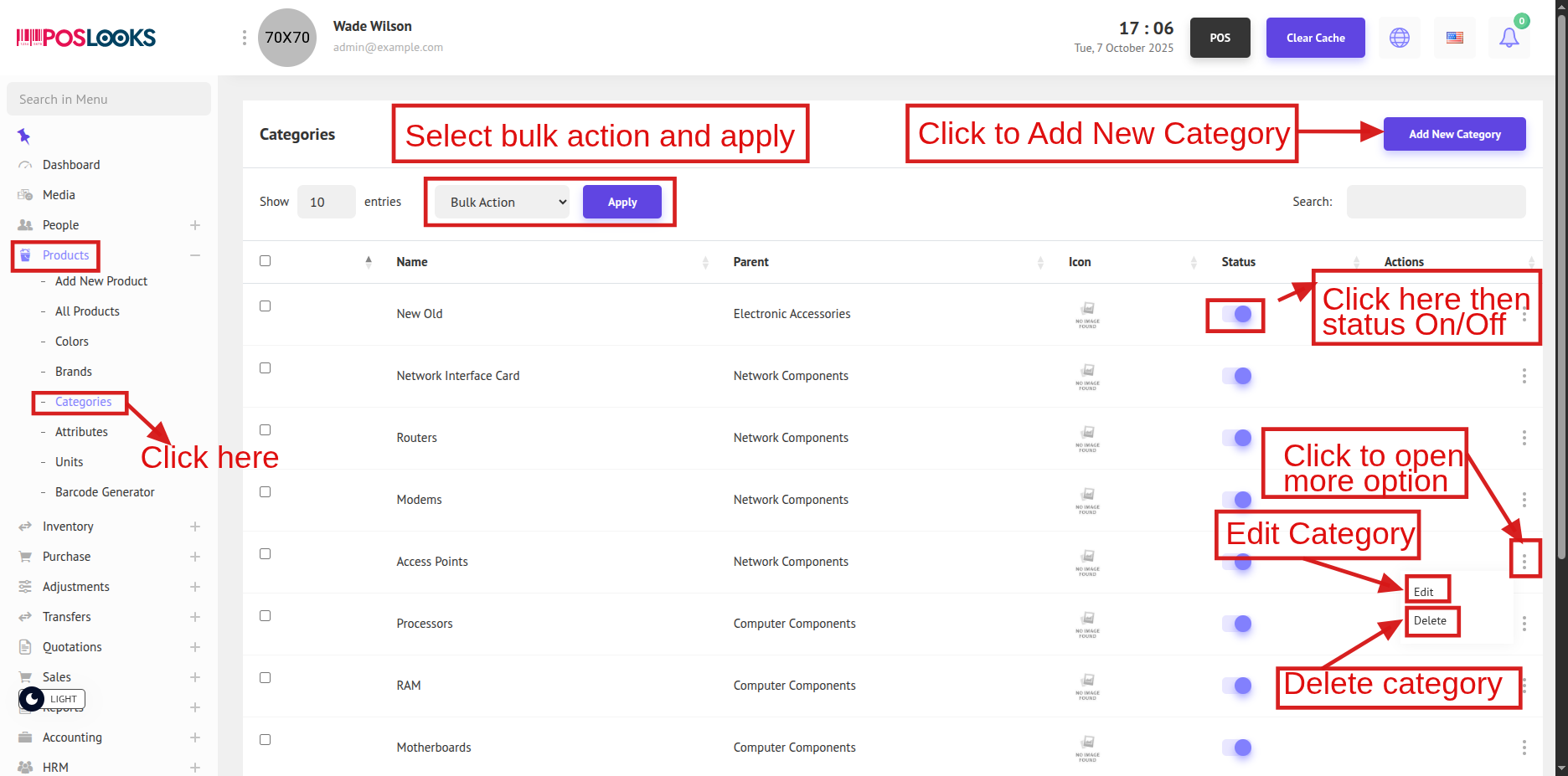
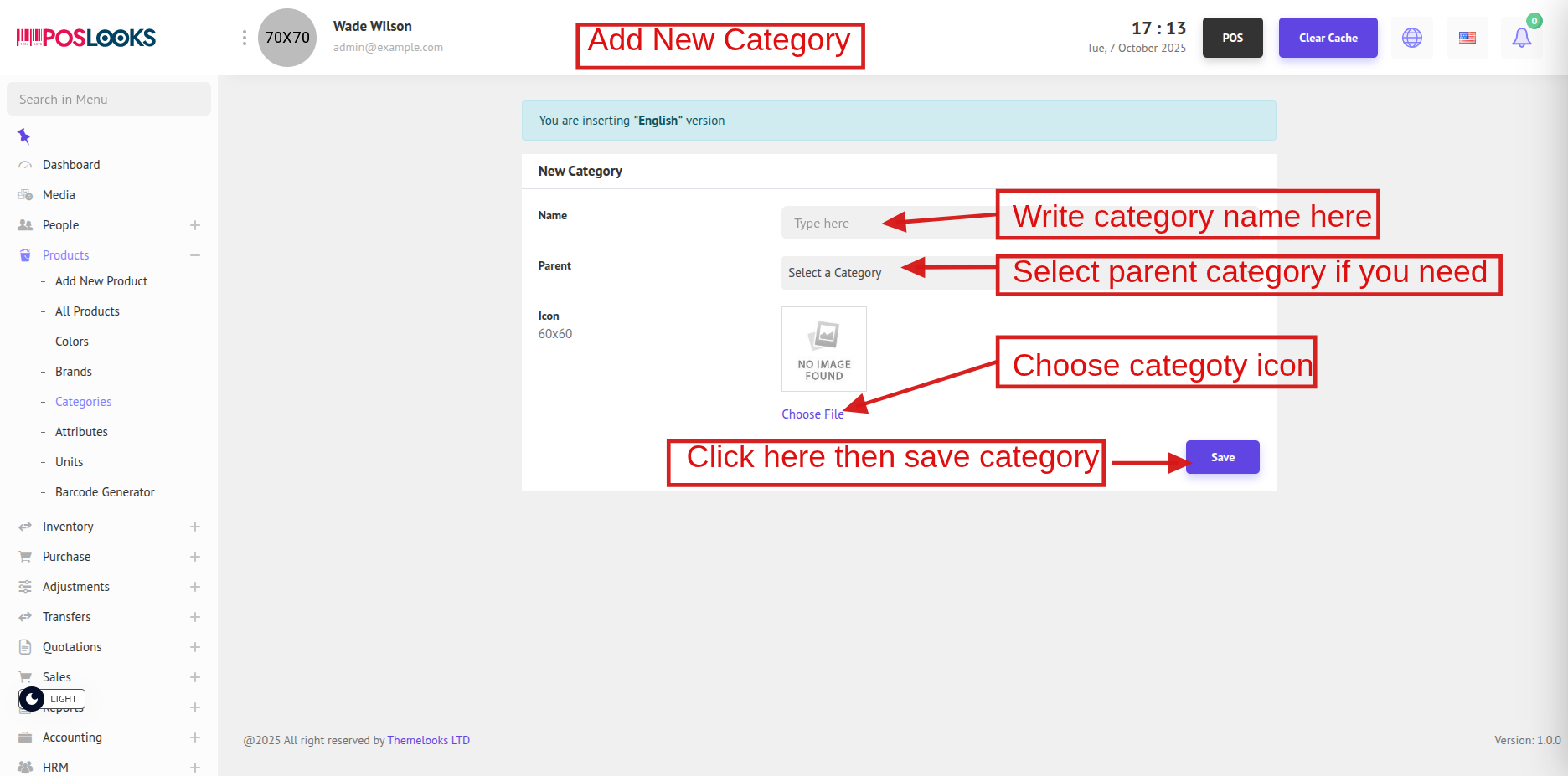
You can see the list of categories along with various options. To add a new category, click the Add New Category button at the top. You will be redirected to a new page.
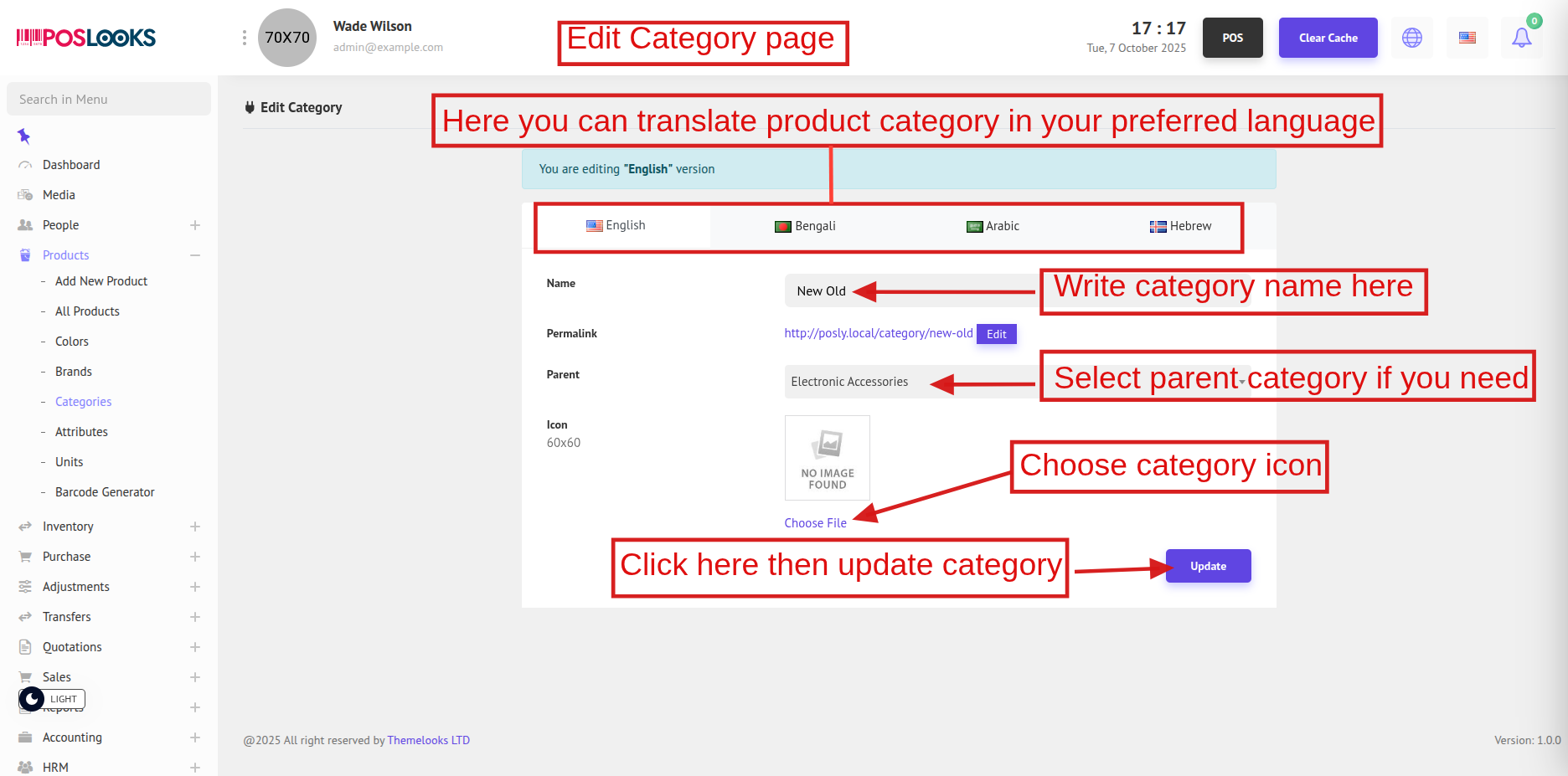
To edit a category, click the Edit link from the Action column (three-dot menu) on the Category List page. You will be redirected to the Edit Category page.
You can also delete a category by clicking the Delete link.