1. To see the Sales List, go to Sales -> Sales List from the menu bar. You will be able to view all Sale on the Sale List page. You can also export the data by clicking Export, which allows you to download the file in PDF, Print, or Excel format.
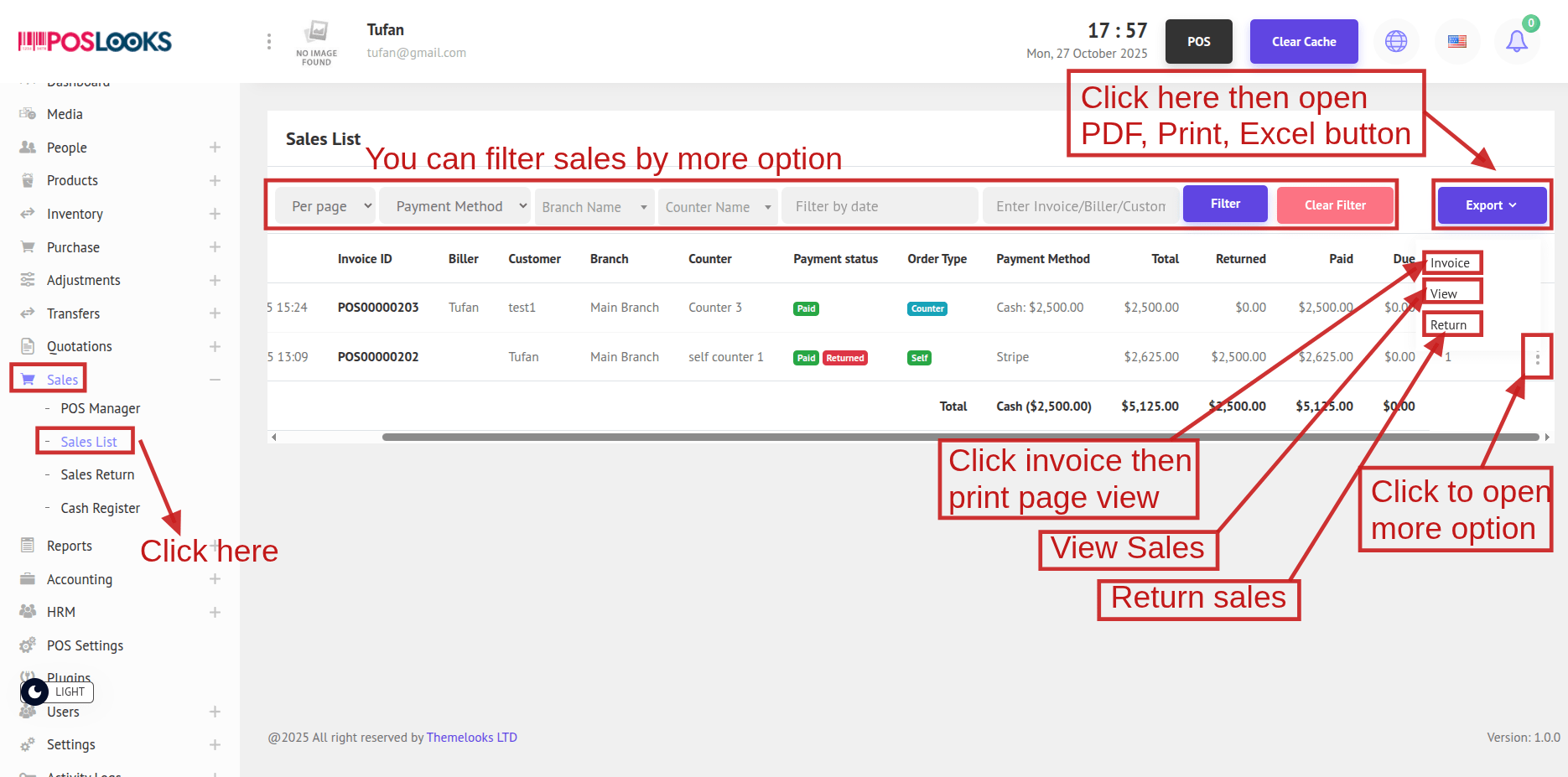
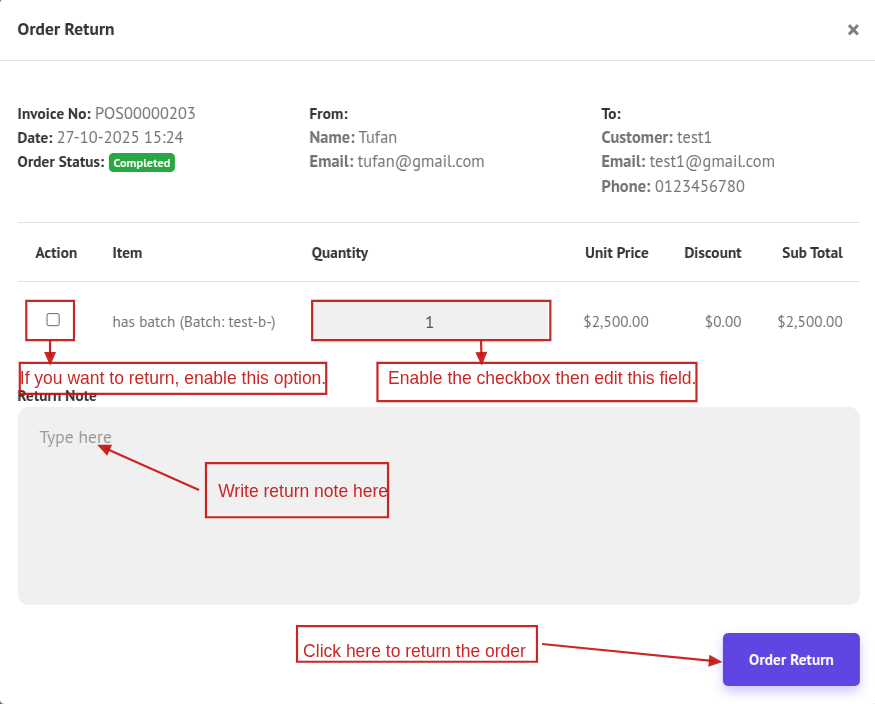
To return an order item, click the Return button. A popup will open with the return page. Click the checkbox to enable the quantity field, enter the return quantity, and then click Return Order.
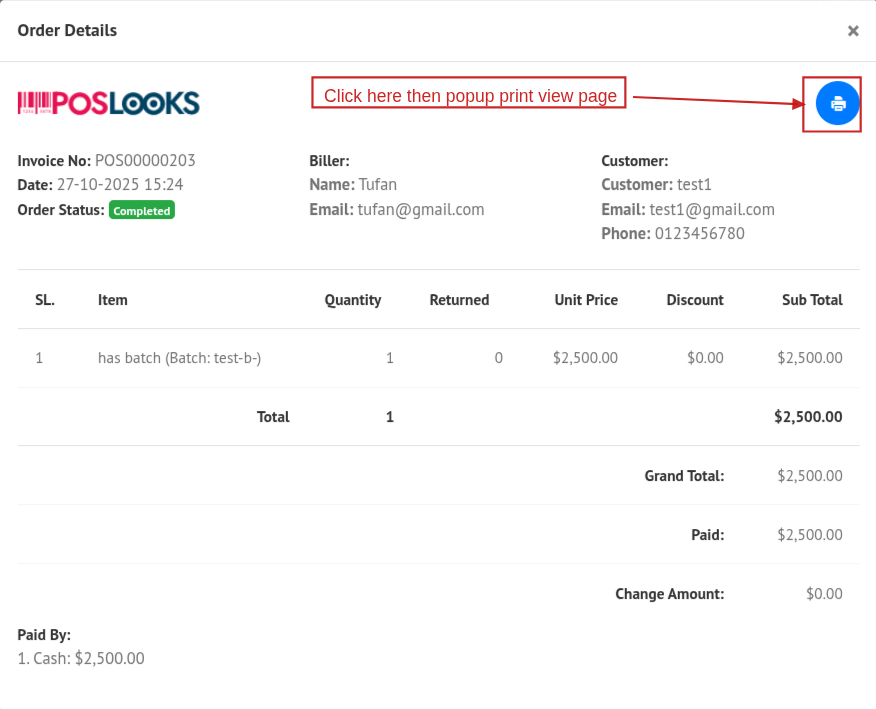
You can view the details of a sales list by clicking the View button. A popup modal will appear showing the order details. Then, click the Print button to open the print page.
If you click Invoice, the print page will also open.
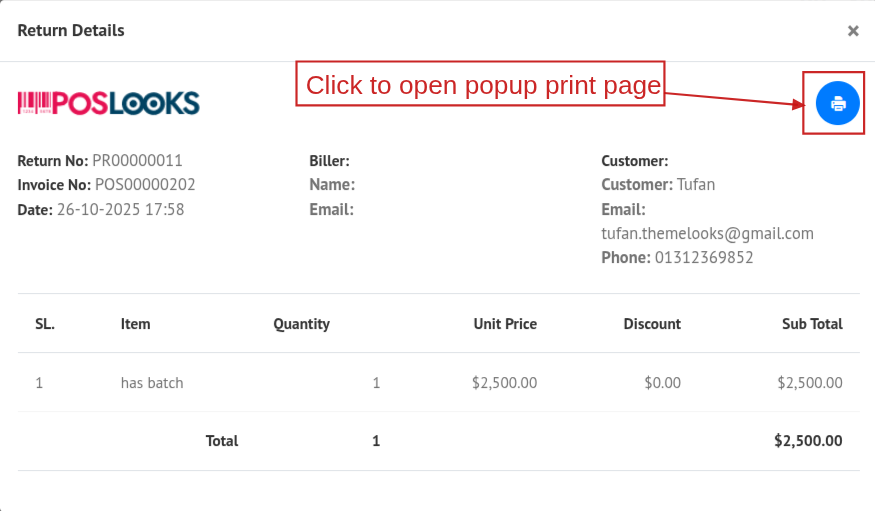
2. To see the Return List, go to Sales -> Return List from the menu bar. You will be able to view all returns on the Return List page. You can also export the data by clicking Export, which allows you to download the file in PDF, Print, or Excel format.
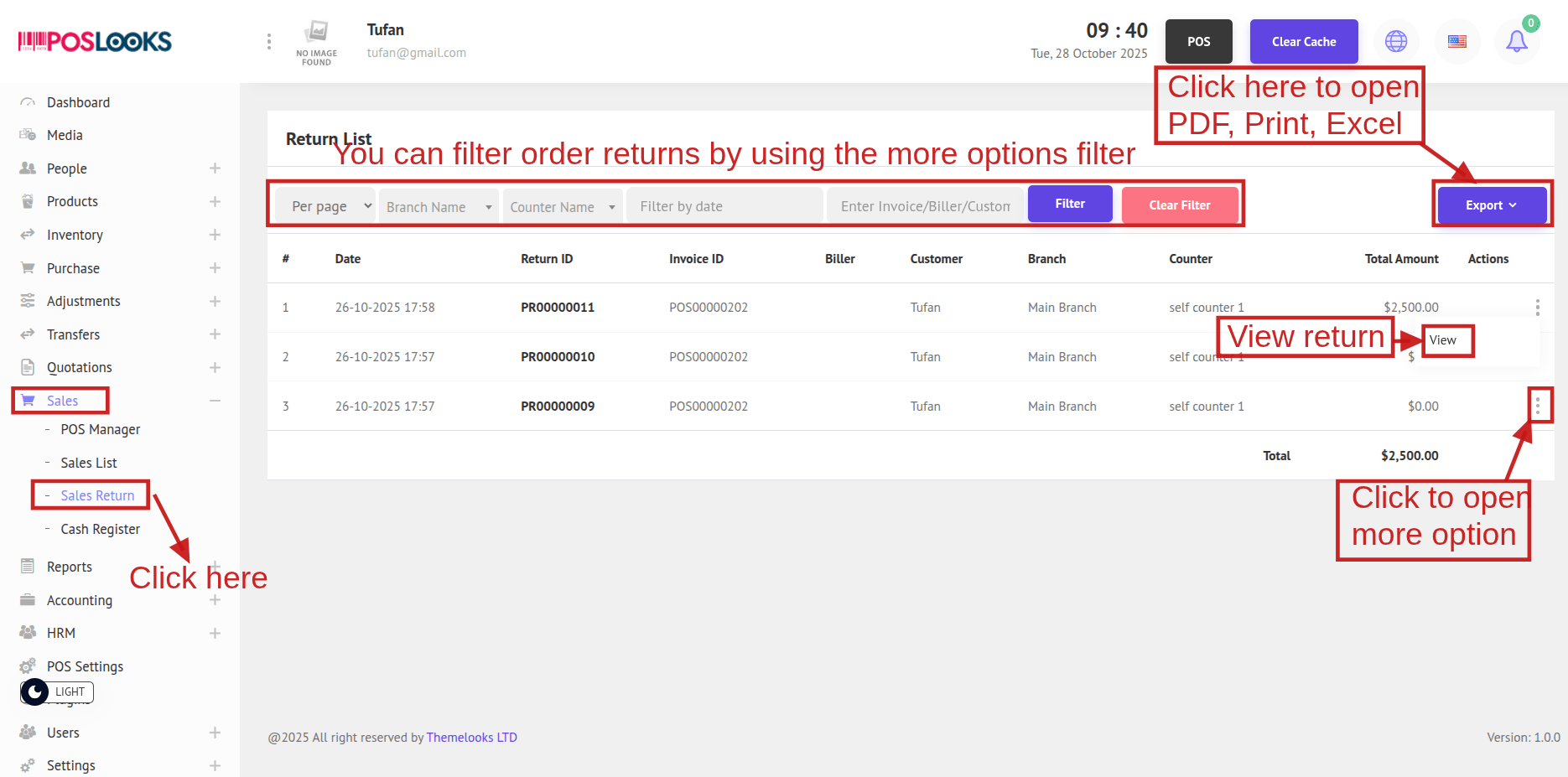
You can view the details of a return list by clicking the View button. A popup modal will appear showing the order return details. Then, click the Print button to open the print page.