To view the Product Attributes list, go to Products > Attributes. This will display all available product attributes in the system.
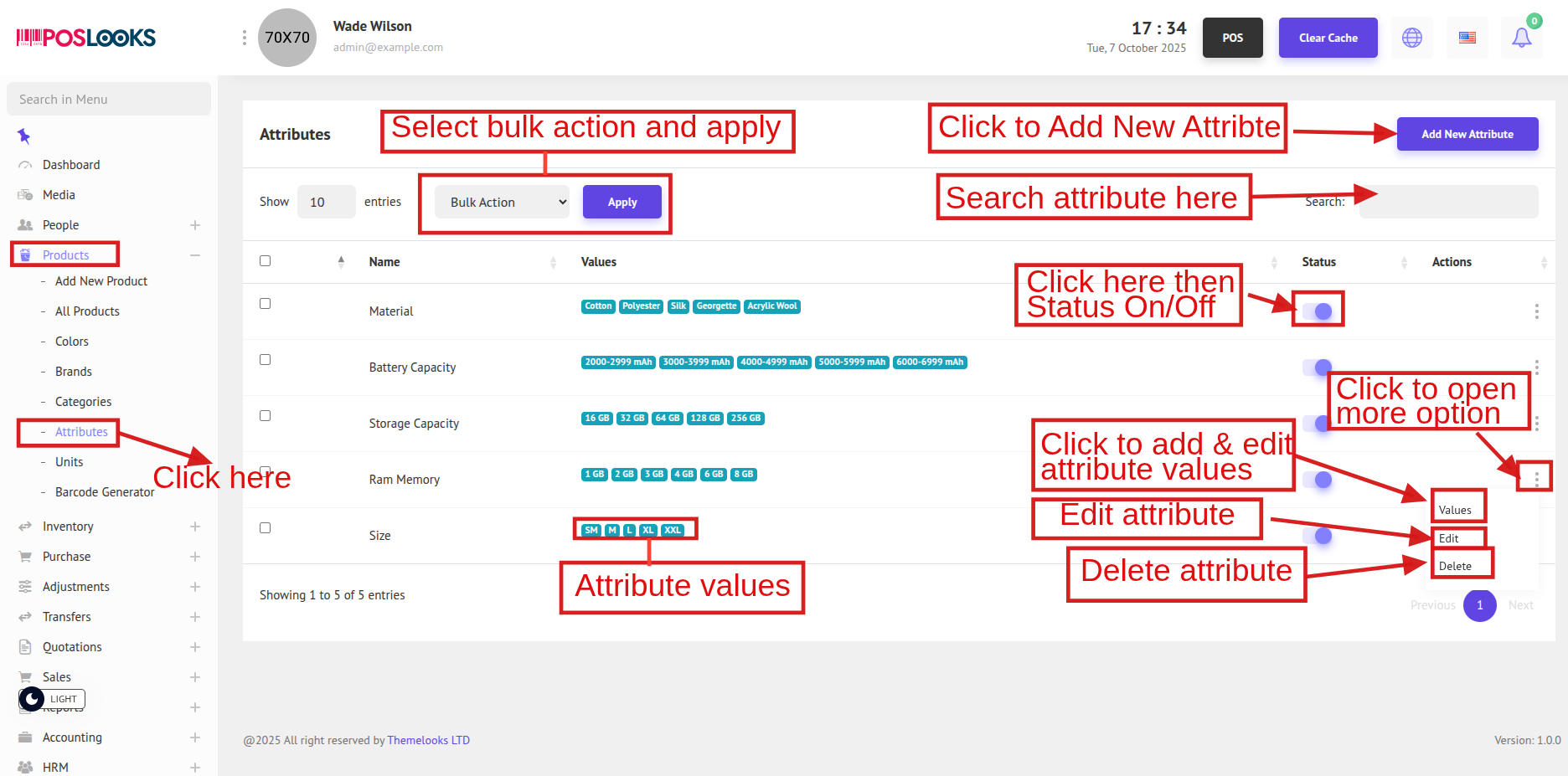
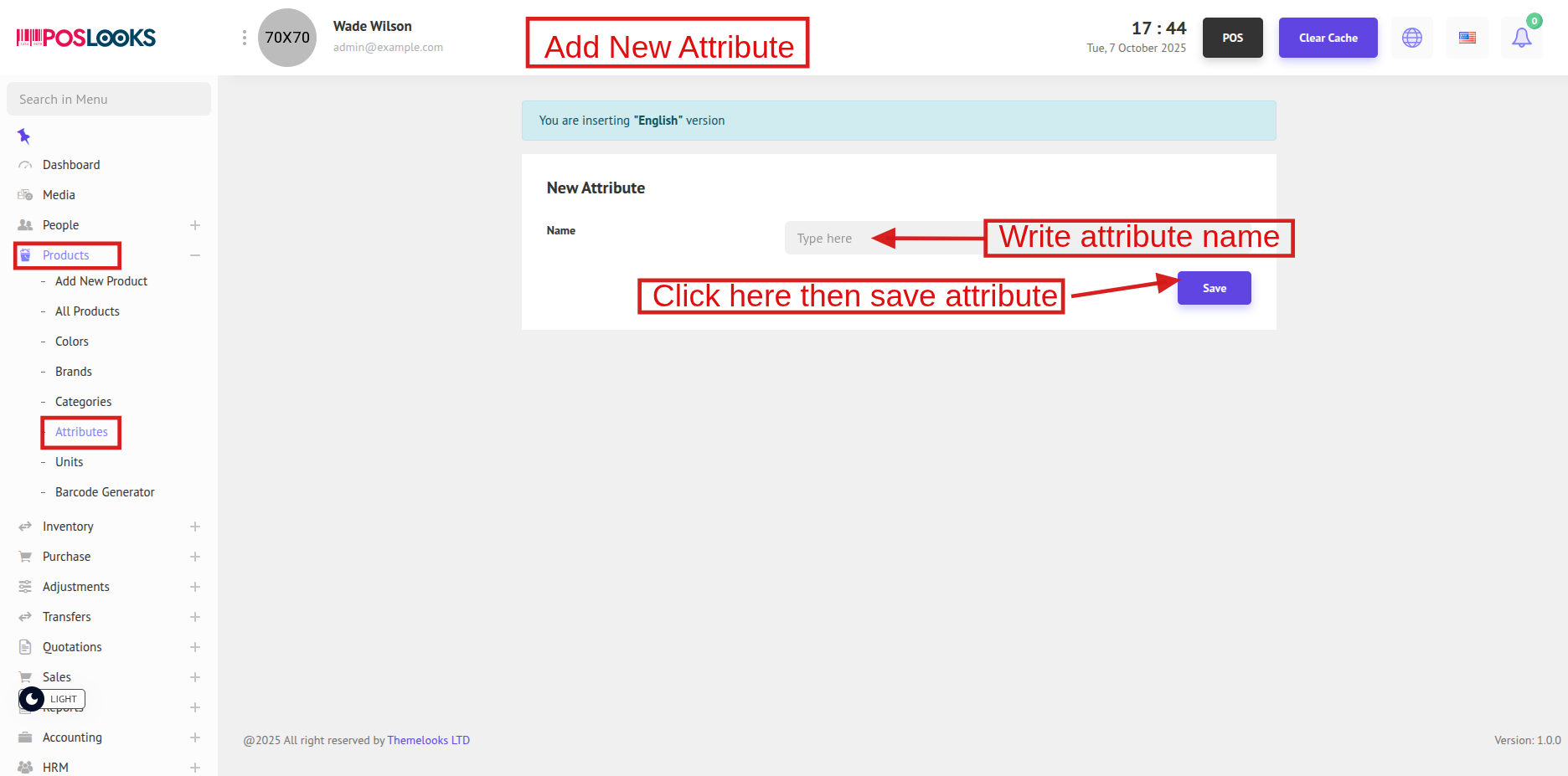
To create a new attribute, click Add New Attribute at the top. You will be redirected to the Add New Attribute page.
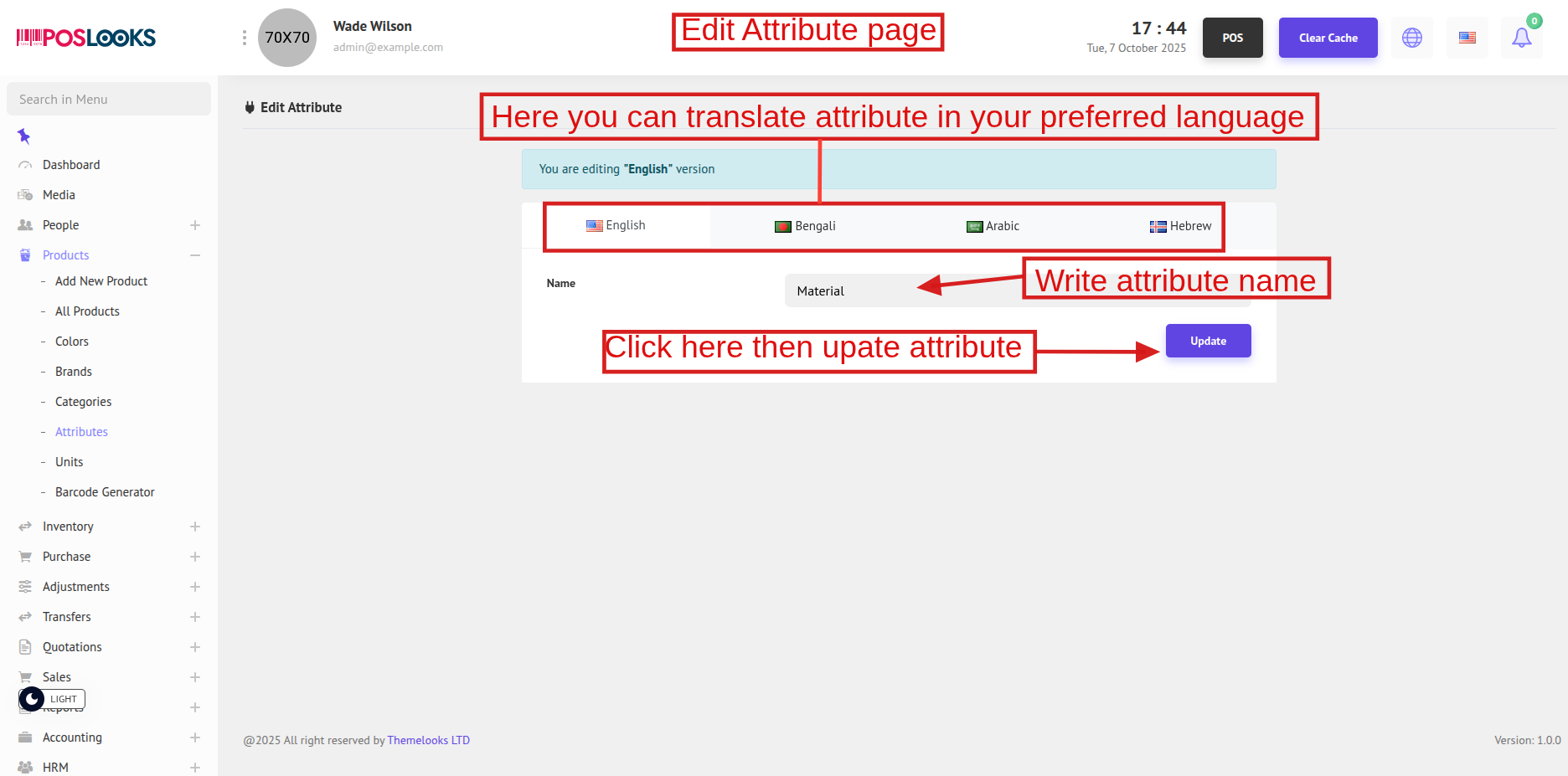
To update an attribute, click Edit from the Attribute List page. You will be redirected to the Edit Attribute page.
To add attribute values, click Values from the Attribute List. You will be redirected to the Value List of that attribute.
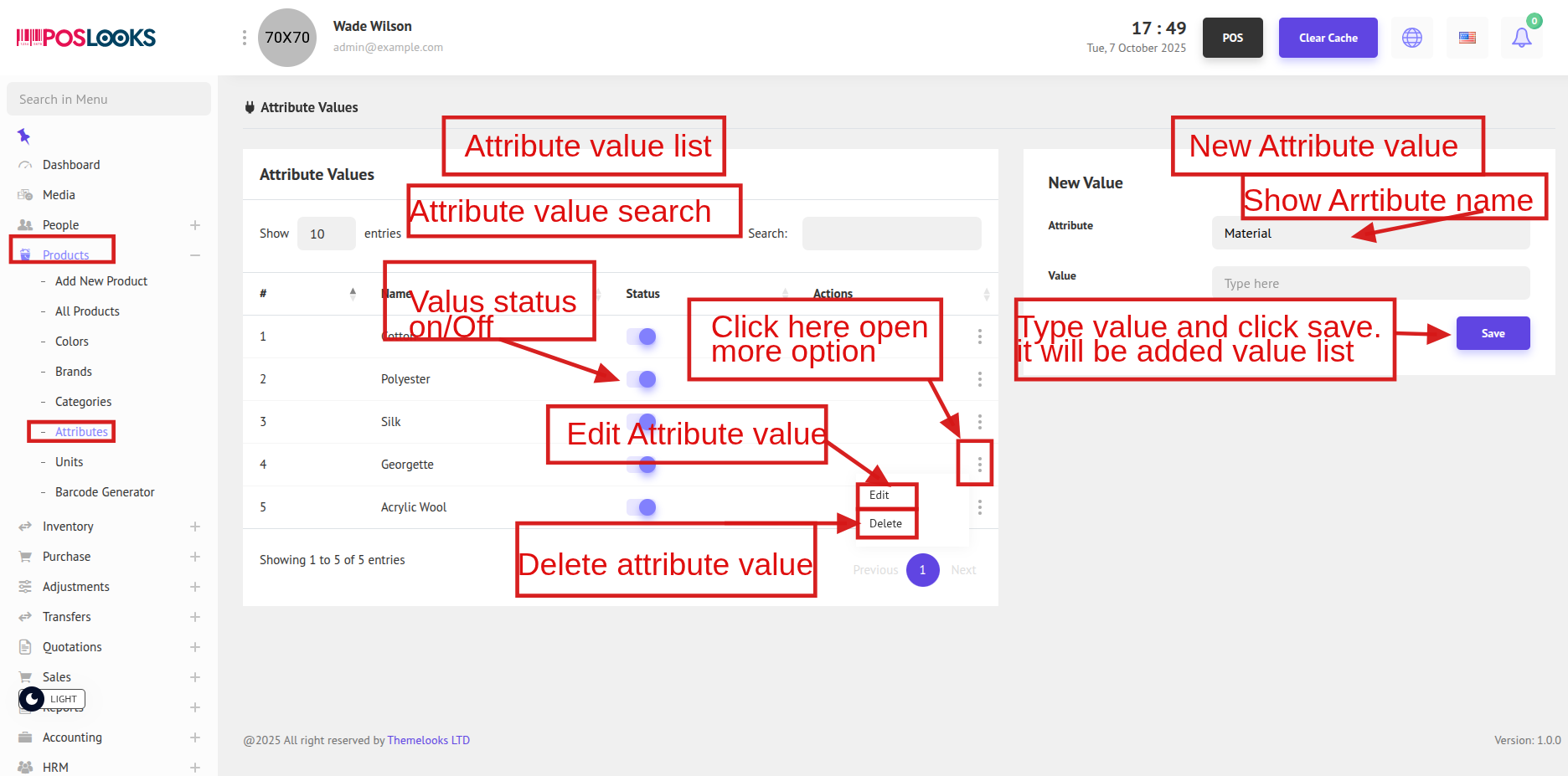
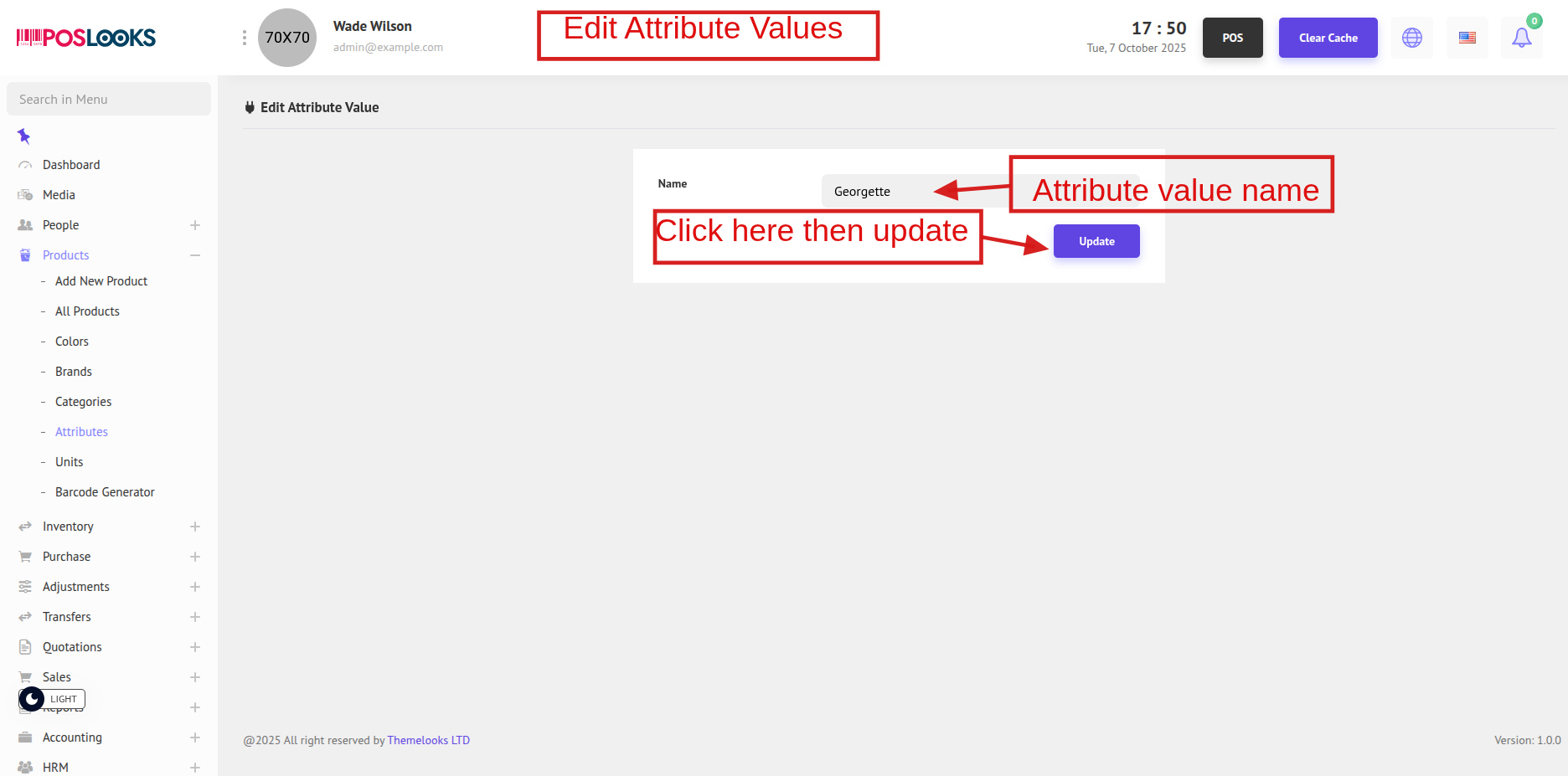
To edit a value, click Edit from the list. You will be redirected to the Edit Value page.